

More often than not, the dining room is used for much more than just a place to sit down and eat. Morning coffee with your laptop. Afternoon video calls. Evening family dinners.
For many Lloydminster households, this shared space has become a true hybrid dining room office. The challenge is creating a room that supports productivity during the day while still feeling warm and welcoming for meals.
Work-from-home arrangements are here to stay, but your dining room still needs to function for everyday living. The solution is not choosing between function and style. It is designing multi-purpose dining furniture in Alberta homes that adapts easily from desk to dinner.
This guide shares practical dining room home office ideas, including table shapes, storage solutions, chair comfort, and quick reset routines so your space stays organized without visual clutter.
Choosing the Right Table Shape and Size
Your table determines everything else in the room. Rectangle tables offer the most workspace. You get dedicated zones for your laptop, documents, and a coffee mug without encroaching on someone else’s dinner space later.
A 72-inch rectangular table seats six comfortably for meals while providing ample desk surface during work hours. Round tables create intimacy for family meals but limit your workspace. Laptops and monitors take up significant surface area, leaving little room for paperwork or secondary screens.If you prefer round tables, go larger than you think necessary. A 60-inch round table provides adequate work surface while seating six for dinner.
Oval tables split the difference. They offer more workspace than round tables while maintaining the softer aesthetic that makes dining rooms feel inviting.
Material Matters for Daily Use

Wood tables develop character over time but show laptop heat marks and water rings from coffee mugs. Glass tops stay cool under electronics and wipe clean easily. However, fingerprints and smudges become visible after video calls when you’re staring at the surface all day.
Laminate or engineered wood offers durability for daily laptop use while resisting heat damage and moisture. These materials handle the transition from workspace to dining surface without special care.
Rolling Carts for Flexible Storage
A rolling cart beside your chair during work hours can hold monitors, laptops, and project files. When dinner starts, simply roll everything away. This is one of the easiest ways to manage small space office furniture in Lloydminster homes without permanent clutter.
Choose carts with locking wheels to keep items stable during meetings.
Seating That Supports Work and Dining
Dining chairs create problems for eight-hour workdays. Your back hurts. Your shoulders tense. Your neck aches from poor posture. But office chairs look ridiculous at a dining table when the family comes over for Sunday dinner.
The solution involves compromise and smart selection.
Upholstered Dining Chairs with Lumbar Support
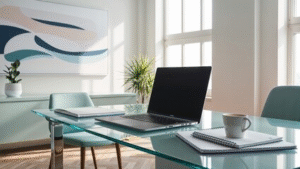
Modern dining chairs now incorporate ergonomic features without looking like office furniture.
Seek chairs with:
- Curved backs that support your lower spine
- Seat depth between 16-18 inches for proper leg positioning
- Armrests (or no armrests) based on your work style
- Cushioning firm enough for support but soft enough for two-hour dinners
These chairs cost more than standard dining seating. But if you’re working 40 hours weekly at your dining table, the investment pays off in comfort and health.
Seat Cushions as a Quick Fix
Add a memory foam seat cushion to your dining chair during work hours.
These cushions provide lumbar support and pressure relief without changing your furniture. Remove them before dinner starts.
Look for cushions with non-slip bottoms. This prevents the annoying slide that happens when you shift position during long meetings.
The Five-Minute Reset Routine
Transitioning from work mode to dinner mode shouldn’t take half an hour.
Create a system that takes five minutes maximum.
Your Daily Reset Checklist
4:55 PM – Start the transition:
- Save all work and close your laptop (30 seconds)
- Unplug chargers and place in designated sideboard drawer (30 seconds)
- Stack papers and files, store in sideboard (1 minute)
- Remove laptop, mouse, and accessories to sideboard or cart (1 minute)
- Wipe down table surface (1 minute)
- Switch lighting from task lamp to chandelier (15 seconds)
- Add centrepiece or placemats (1 minute)
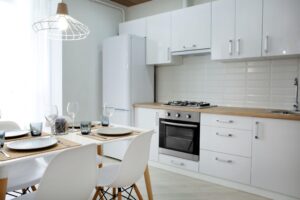
5:00 PM – Space ready for dinner
The key is consistency. When everything has a designated storage spot, the reset becomes automatic.
Keep a small caddy on your sideboard with items that always return to the same location. Laptop charger. Mouse. Notebook. Pens. This eliminates decision fatigue about where things belong.
Make Your Workspace Work for You
Your dining room home office succeeds when it adapts to changing schedules. Some weeks demand full-time work. Others return to family meals and hosting.
Investing in quality furniture ensures your table and chairs withstand daily use while still looking great for guests.
For homeowners searching for multi-purpose dining furniture in Alberta, selecting durable finishes and flexible layouts helps maintain comfort year-round.
Find Hybrid Dining Solutions in Lloydminster
Ready to upgrade your space with furniture that works harder?
Browse our selection of dining tables and chairs designed for real life at your local furniture store in Lloydminster. Visit Furniture Gallery Lloydminster to explore pieces that support both workdays and family dinners.